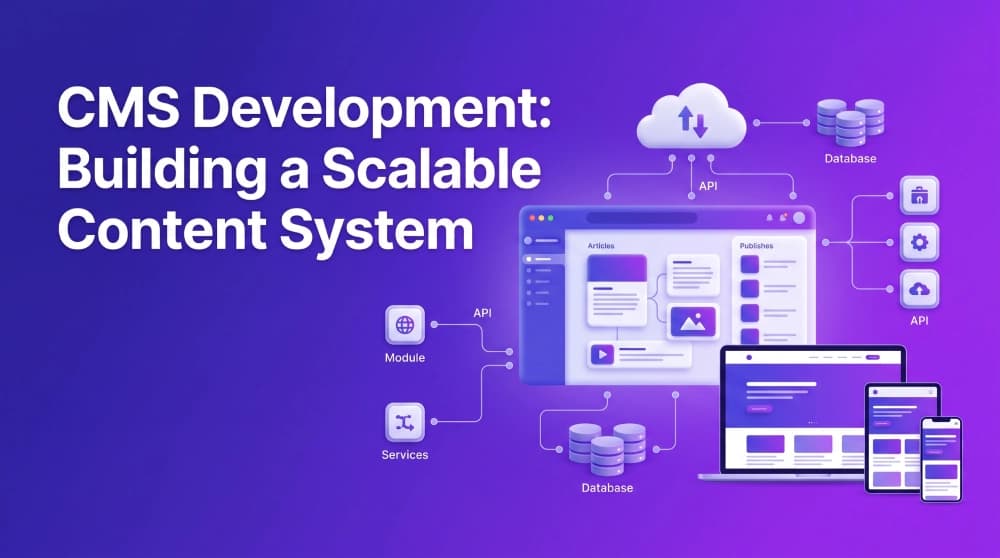
Teams are able to create and modify content on a CMS without knowing how to code. But the platforms differ in flexibility, scalability and complexity. CMS development fills those gaps with content systems built to the needs, workflows, and growth objectives of each business. This guide was reviewed by CMS development professionals in the USA and covers, explains how to build a scalable content management system from scratch, covering the development process, key technologies, architecture choices, essential features and useful things to keep in mind.
What is CMS Development
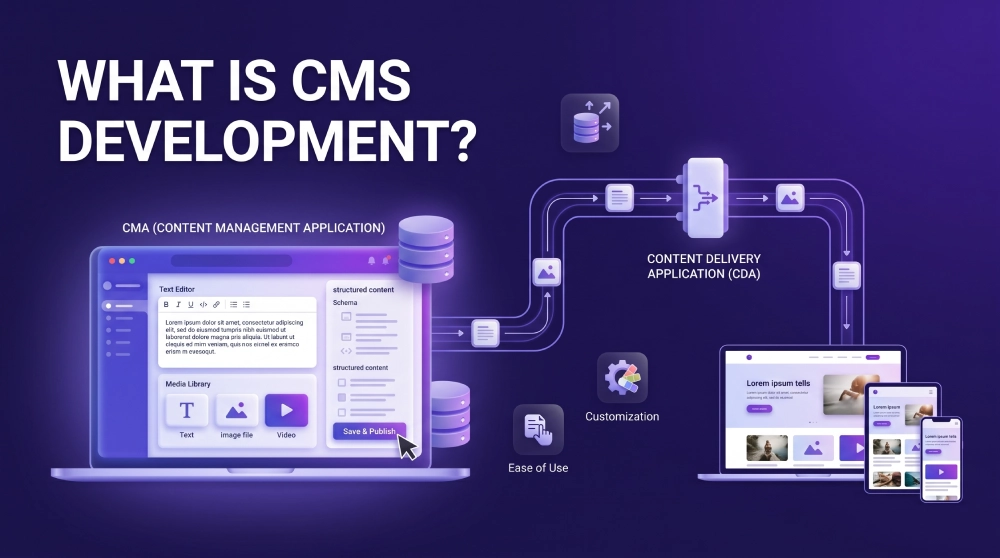
CMS development is the process of designing, building, and deploying a system that lets teams manage digital content text, images, video, and structured data without needing a developer for routine updates.
Underneath the surface, nearly every CMS is made up of two working parts:
Content Management Application (CMA): the editor-facing side, where a marketer or writer drafts a page, uploads a product photo, or schedules a blog post.
Content Delivery Application (CDA): the engine that takes that content and renders it out to visitors on the live site.
A CMS development company building this kind of system is usually optimizing for three things at once:
Ease of use, so content teams aren't waiting on engineering for small changes
Scalability, so the platform holds up as traffic, content volume, and feature requests grow
Customization, so the tool fits the business's actual workflow rather than the other way around
Firms offering CMS development services typically stay involved well past launch handling architecture up front, then ongoing CMS website development support as the site evolves. Broadly, teams doing content management system CMS development services split into two groups: agencies running the whole build and long-term upkeep, and individual specialists sometimes brought on for a dedicated cms developer job who manages the platform day to day after launch.
Why Businesses Need CMS Development
Most companies start on an off-the-shelf platform WordPress, Drupal, Shopify and that's usually the right call early on. The trouble starts later, once the business outgrows what the platform was designed for: plugins stacking up, page speed dropping, security gaps opening, and every new feature request turning into a workaround.
That's the point where building a custom system starts making financial and technical sense. Some reasons teams switch:
Purpose-built features: the system does what the business needs and nothing it doesn't
Tighter security: no dependence on third-party plugin ecosystems full of known vulnerabilities
Cleaner performance:a platform built around real workflows runs lighter than a general-purpose one stretched to fit
Lower cost over time: fewer recurring license fees and less plugin maintenance
Complete control: every piece of the design, functionality, and integration stack stays owned by the business
Getting there usually starts with a CMS development company auditing existing content, workflows, and audience needs before recommending a ground-up build versus a customized framework.
Types of Content Management Systems
Before getting into how CMS web development actually happens, it's worth knowing the main categories a business can choose from.
Traditional CMS (Coupled CMS)
Common examples include WordPress, Drupal and Joomla. They are easy to install and manage, but potentially harder to scale for complex needs.
WordPress CMS is still a good option for standard sites and blogs that don’t need to deliver content across multiple channels.
Headless CMS
A headless CMS separates content from the frontend, and delivers it via APIs to websites, apps and other channels. Some common options for flexible, multi-channel delivStrapi, Contentful and Sanity.
Headless CMS development services help businesses build flexible architectures without a fixed frontend template.
Decoupled CMS
Sits between the two backend and frontend are separate but stay linked through a publishing API. It's generally more secure and scalable than a traditional CMS, with less overhead than going fully headless, though still more setup than a coupled system.
Custom CMS
Design, operational performance and work flow It may be more expensive on the front end but it can provide long term value for complex needs. A custom CMS developer can help in developing databases, admin controls and permissions specific to your business needs.
Core Features of a Modern CMS
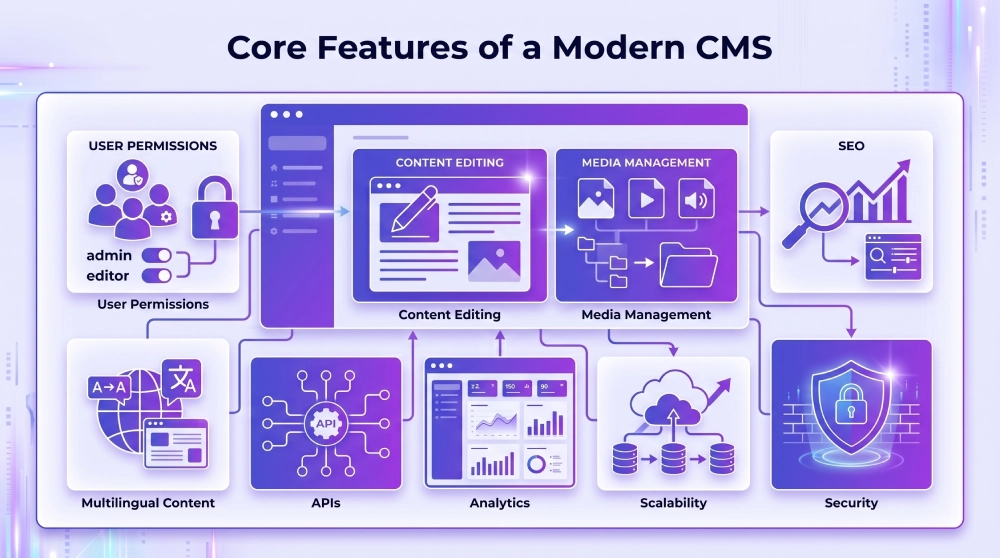
The people using a well-built CMS should find it effortless in day to day use. What is it worth to give priority to:
Clean, intuitive dashboard: for marketers, editors and admins
WYSIWYG content editor: so you don’t have to touch markup to update
Media management: Uploading, organising and optimising images, video and files
Role-based permissions: Who can create, approve or publish
Built-in SEO tools: Metadata, Custom URLs, Sitemap Generation
Multilingual support: for companies operating in multiple markets
Open APIs: to connect to CRM, ecommerce platforms and analytic tools
Scalable infrastructure: that doesn't buckle under the growth of content or traffic.
Security layers: authentication, encryption, access control.
Built-in analytics: to see how your content performs in the real world
A good provider treats them as core requirements from day one, not as features tacked on later under duress.
The CMS Development Process Explained
Here's roughly how this process takes a project from concept to a working, scalable system.
Requirement Analysis
Everything starts with mapping out the real need: what content types the business manages, who's using the system day to day, how much customization the workflow demands, and which other tools it needs to connect to.
System Design and Architecture
With requirements settled, the content management system development team decides on the underlying architecture monolithic, headless, or modular and works out database structure, data flow, and content modeling.
Frontend Development
This is the visible layer of how content actually appears to visitors. Most teams build this out in React, Vue.js, or Angular for a responsive, dynamic experience.
Backend Development
The engine-room of the whole building. Back-end teams in Laravel, Django, Node.js or.NET Core usually work on content storage and publishing logic, user roles and permissions, API endpoints, database connections and so on.
Database Setup
Select the database that can scale the system in future. MySQL, PostgreSQL, and MongoDB are the common picks, depending on how structured (or unstructured) the content is.
Integration and API Development
The CMS gets wired up to marketing tools, analytics platforms, and other third-party systems here, usually through REST or GraphQL APIs the backbone of most cms development and integration work.
Testing
Prior to anything going live, the CMS web design team conducts functionality, security, usability and load testing to identify problems early.
Deployment and Maintenance
Launch is not the end of the race. Custom CMS development services usually include regular updates, security patches and performance tuning after the initial launch.
Choosing the Right CMS Development Company
If you want to get outside help you have to be choosy. Ask a provider before signing:
Relevant industry experience: have they built something comparable before?
Technical depth: experience with frameworks such as Laravel, React or Node.js
Genuine customization ability: is the workflow able to truly customize the build or are you stuck with a vendor template?
Security track record: solid authentication and data protection practices
Support after launch: Maintenance is just as important as the build
A portfolio worth reviewing: enduring client references and past work
Platform expertise matters, too. Teams working on a Contentful development company may be not the same as Drupal, Sanity, Sitecore, or Sitefinity teams. For projects involving HubSpot or Webflow, confirm the provider’s platform-specific experience upfront.
With remote teams now the standard, geography matters less, but companies may choose providers based in Dubai or India for cost or timezone reasons. Some hire CMS developers directly to provide on-going support in-house.
Technologies Used in CMS Development
Component | Common Technologies |
Frontend | React.js, Vue.js, Angular |
Backend | Laravel, Django, Node.js, .NET |
Database | MySQL, PostgreSQL, MongoDB |
APIs | REST, GraphQL |
Hosting | AWS, Azure, Google Cloud |
Version Control | GitHub, GitLab |
Security | OAuth, SSL, Role-based Access Control |
Craft CMS developers can create flexible content structures. Sitecore CMS developers usually work on enterprise projects with advanced personalisation. Sometimes the built in features are not enough and you will need to create a plugin for Craft CMS to add your own functionality. Also, Umbraco and Sitefinity developers provide support for custom CMS solutions developed on Net.
CMS is just one aspect of web development and is often used in conjunction with ecommerce platforms, internal tools and LMS systems.
Challenges in CMS Development
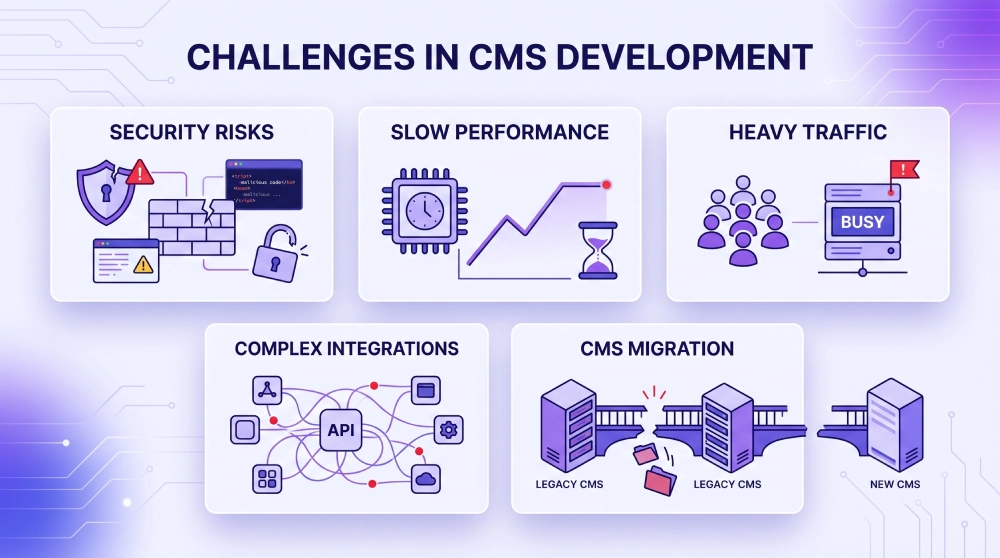
Most organizations find that a CMS pays off but building one is not without friction:
Balancing power and simplicity: enough to serve advanced needs without intimidating the ordinary editors.
Holding performance steady at scale: content volume grows, and load times shouldn't grow with it.
Guarding against breaches:Unauthorised access is always a risk for any content-heavy platform.
Staying reliable under heavy traffic: The system must be able to operate under heavy load (not just normal load).
Keeping integrations intact: The tools you integrate with will change and those integrations need to be maintained.
Legacy migrations are a pain in the ass. A Tebra CMS to WordPress migration developer can migrate specialised content ensuring data integrity. An experienced CMS web design company can reduce the risks, and make the migration easier and more reliable.
Benefits of Building a Custom CMS
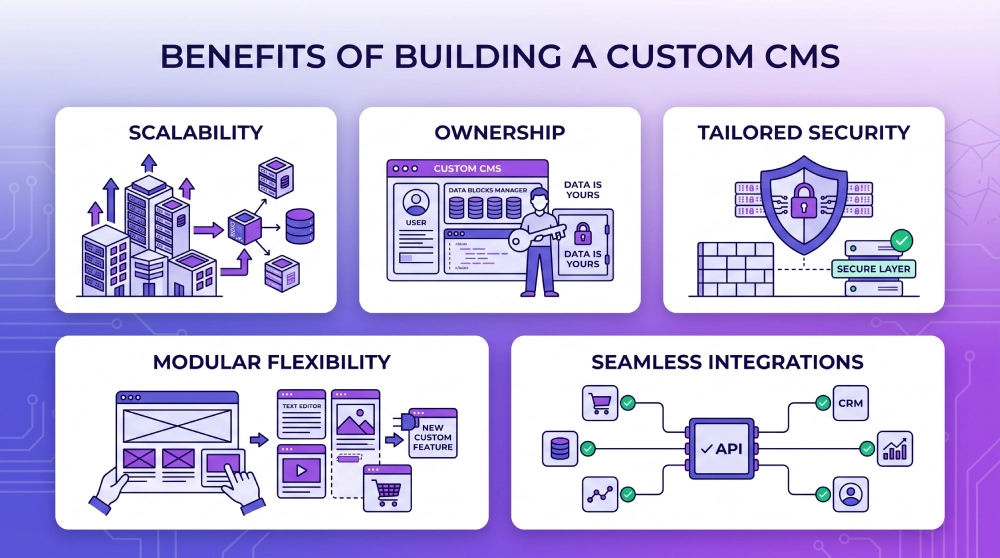
Here’s the pay off as it pertains to the question of whether custom CMS development is worth the investment:
Full ownership: design, data, functionality
A genuinely tailored fit: For Brand & Workflow
Architecture that scales: as your content and audience grow
Stronger security posture: without dependency on legacy plugins
Room to grow: Add new tools and integrations as your business expands
Custom headless CMS development allows businesses to build APIs to meet specific content distribution needs. Compliance, data residency, security or overlapping working hours will be the focus for US companies looking for custom CMS development services in the USA.
How Much Does CMS Development Cost
CMS Type | Estimated Cost Range (USD) |
Simple Blog CMS | $5,000 – $15,000 |
Mid-Level Business CMS | $15,000 – $40,000 |
Enterprise-Level Custom CMS | $40,000 – $100,000+ |
These ranges generally cover branding design, backend build-out, integrations, and testing. Enterprise-tier work sits at the top sitecore cms development services, for instance, are priced closer to custom software than a standard website build. A professional development partner is worth the premium if it means a system that doesn't need a costly rebuild in a few years.
Future of CMS Development
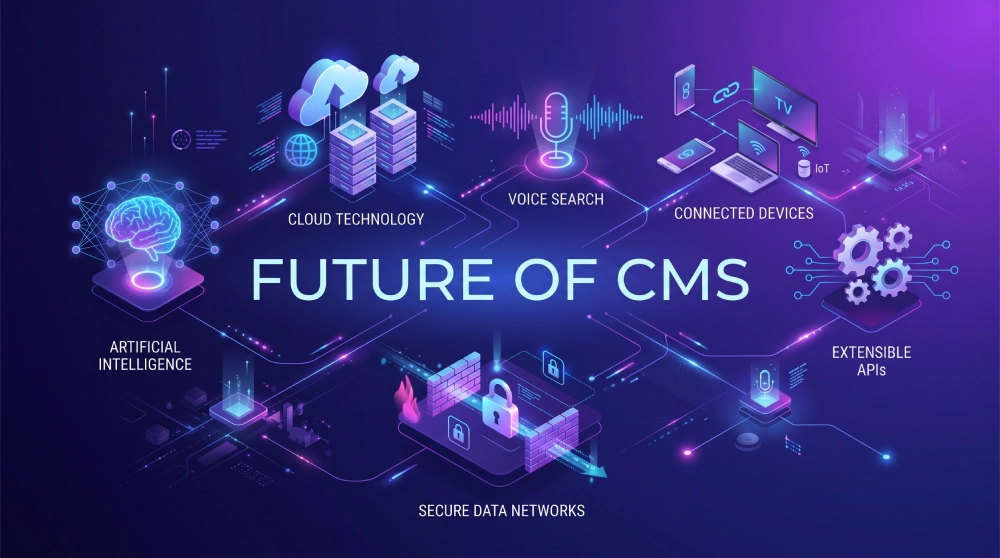
The space is heading toward more personalization, more automation, and content that flows seamlessly across channels. A few trends worth watching:
AI-assisted content recommendations
Voice search compatibility
Headless setups built for multi-platform delivery
Tighter data privacy and security controls
Cloud-native CMS infrastructure
Teams that adopt these trends early tend to have a real edge in delivering faster, more personalized digital experiences as the space matures.
Conclusion
Building your own content system is no longer just a technical decision, it’s a strategic decision with ramifications on how well a business can manage and scale its content over time. Working with an expert CMS development company can help to ensure the system built today still holds the test of time years down the road.
For US businesses seeking a CMS solution, choosing the right development partner is equally important. The right expert can guide teams in deciding between a traditional platform, a headless approach, or a completely custom build by analysing their content, technical requirements, and long-term growth plans.
Frequently asked questions
CMS development is a process of creating, building and deploying a content management system which enables users to create, edit and publish digital content without writing any code.
Traditional CMS systems have combined the content management and content display layers into a single system. A headless CMS separates the backend, where the content lives, from the frontend, and serves content up through APIs to any platform.
A simple blog CMS will run $5,000-$15,000. A custom enterprise build with multiple integrations can run $40,000-$100,000+.
WordPress is fantastic for your typical sites and blogs, but if you’re a company with a specific workflow, high traffic, or complex integration needs, you’ll want to consider a custom CMS.
Look for a CMS development company that has proven experience on your platform of choice, a portfolio that stands tall, transparent pricing and real support after launch.
A simple blog CMS can be a few weeks, and a mid-level business CMS often runs two to four months. Enterprise custom builds with multiple integrations can take six months or more.
Neither is necessarily better. The headless CMS is great for companies publishing content on many different channels, but a traditional CMS is easier and quicker to get up and running for a regular website or blog.
Yes. CMS migrations are very common as a business outgrows its current platform. Typically this involves mapping out existing content, rebuilding templates, and transferring data without loss of SEO value or historical content.
You don’t need a developer to make day-to-day content updates but ongoing maintenance, security patches, performance tuning and feature additions usually require ongoing developer support.
Website builder: a simple, template-based website builder focusing on quick deployment and limited customisation. CMS – explore content structure, workflows and integrations as your business grows